

For aviation detailers, by aviation detailers.
From first quote to archived work order: price the job, get it signed, run it safely, photograph everything and hand the pilot a clean record.
MENUA detailing job, start to finish
Previous and Next buttons walk the crew through each step. Reorder or hide the steps you don’t use.
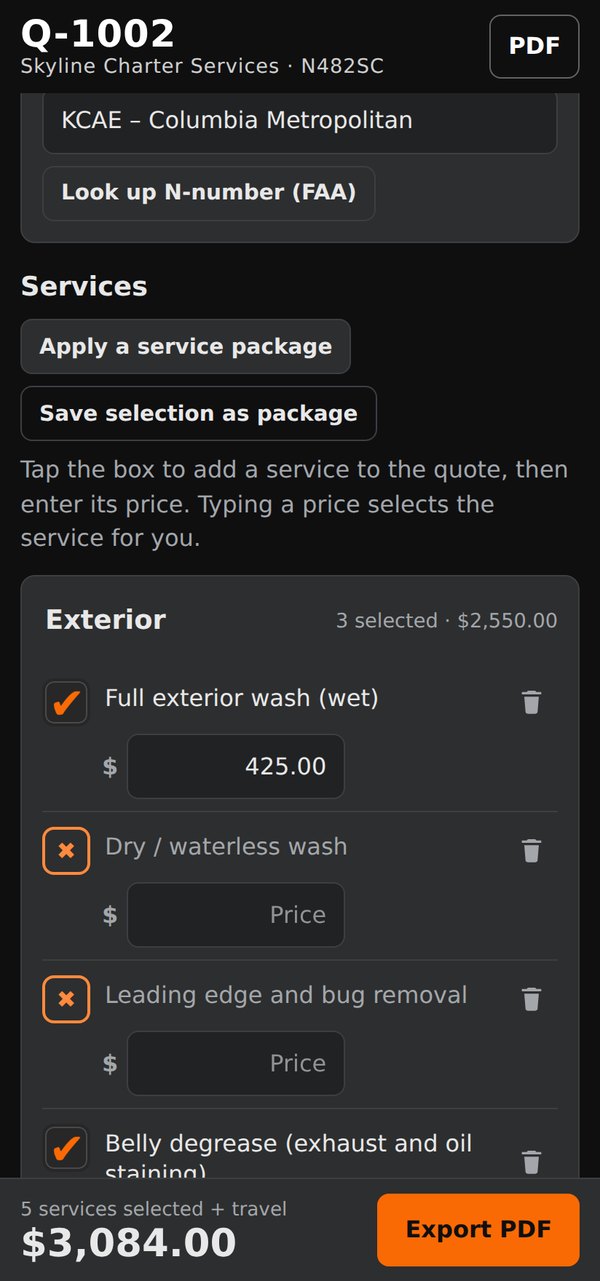
Quote it
Enter the N-number, and the FAA lookup fills in the aircraft, its size class and your prices. Pick services and add travel; totals update as you go, and saved service packages fill a quote in one tap.
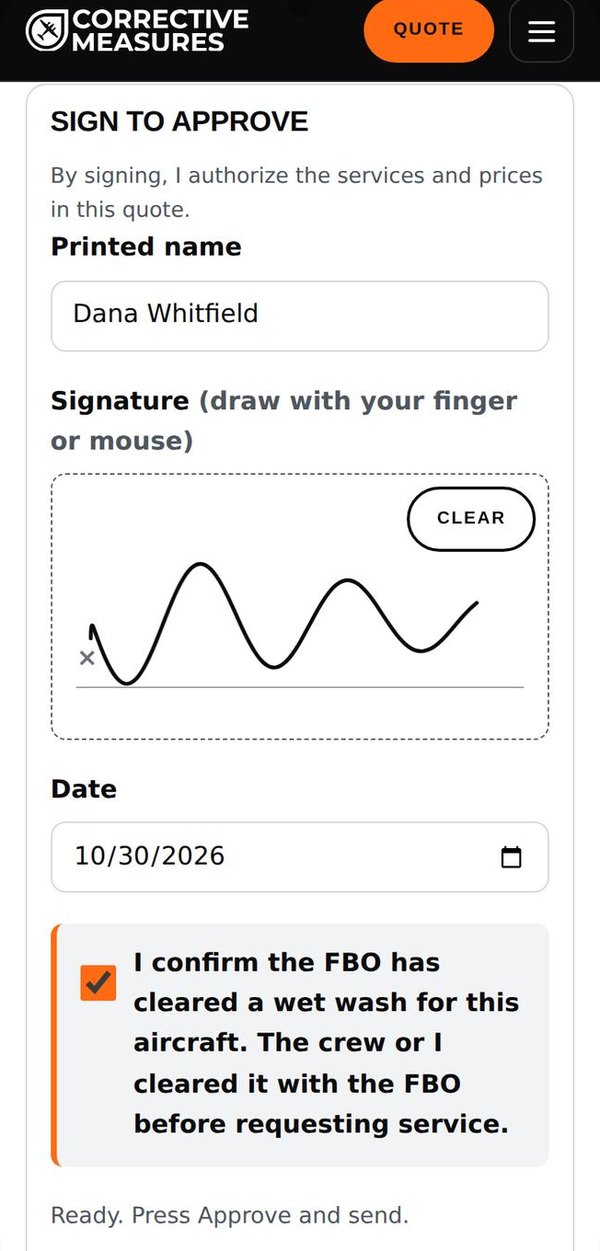
Get it signed
Send the quote as a PDF with a sign button. The customer reviews it and signs on their phone, on a page with your name, logo and colors. The signed copy comes back into the app with a notification.
Only the customer named on the quote can approve it. If a different name signs, the app warns you.
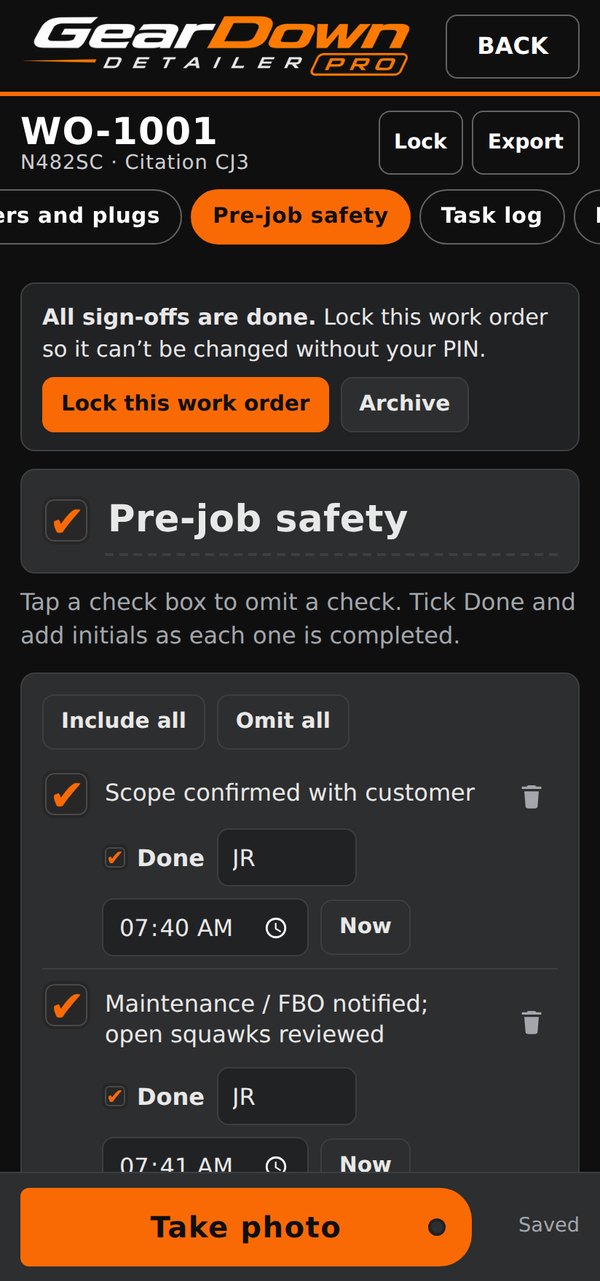
Start safely
Pre-job safety checks are ticked off with initials and the time each was done: scope confirmed, maintenance or FBO notified, covers and plugs photographed as found.
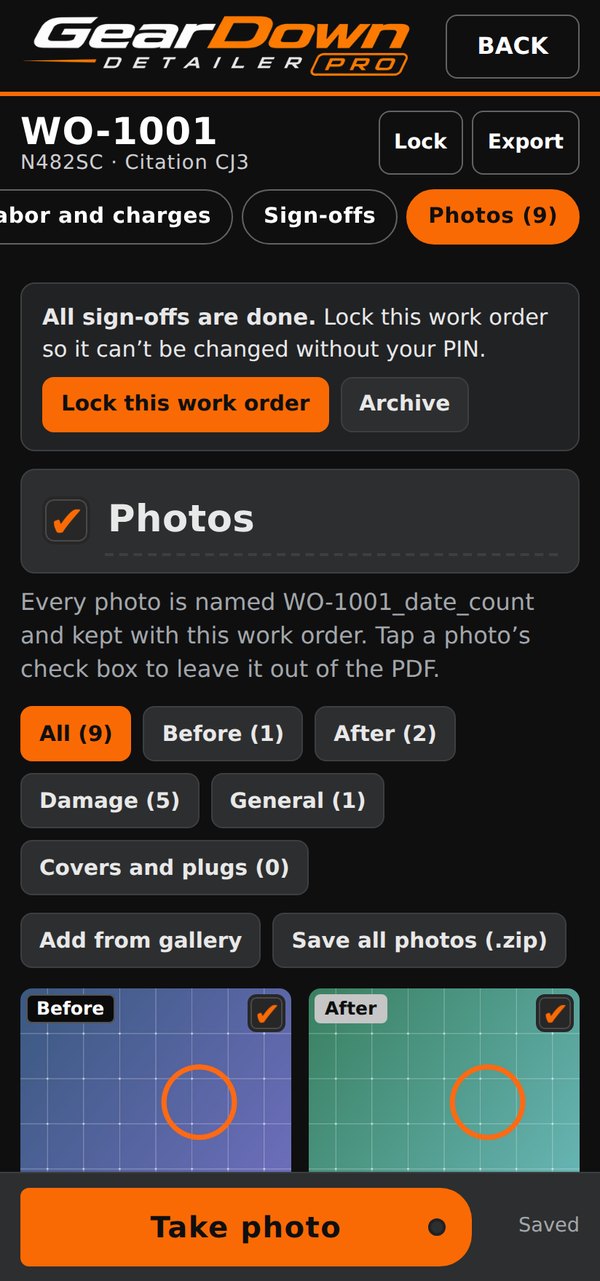
Photograph everything
Before, after and damage photos are named with the work order and date, kept with the job, and copied to the phone’s gallery. Leave any photo out of the PDF with one tap.
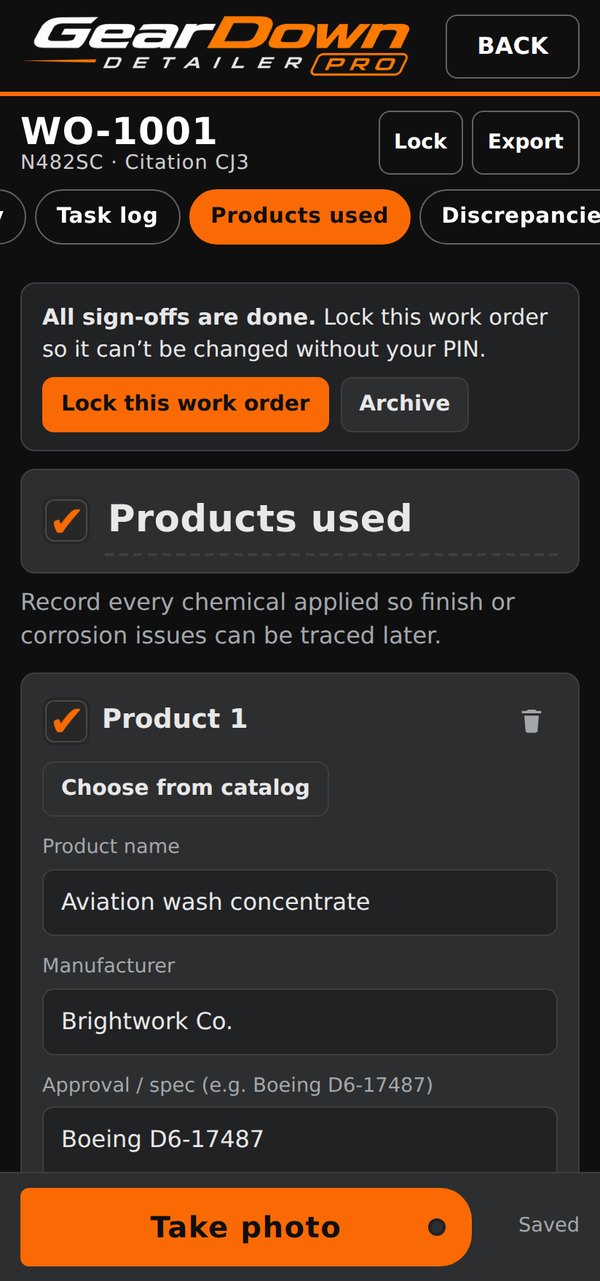
Log every product
Pick from a catalog of products and record the manufacturer, approval spec, lot and expiry date for each chemical used, so a finish or corrosion question can be traced later.
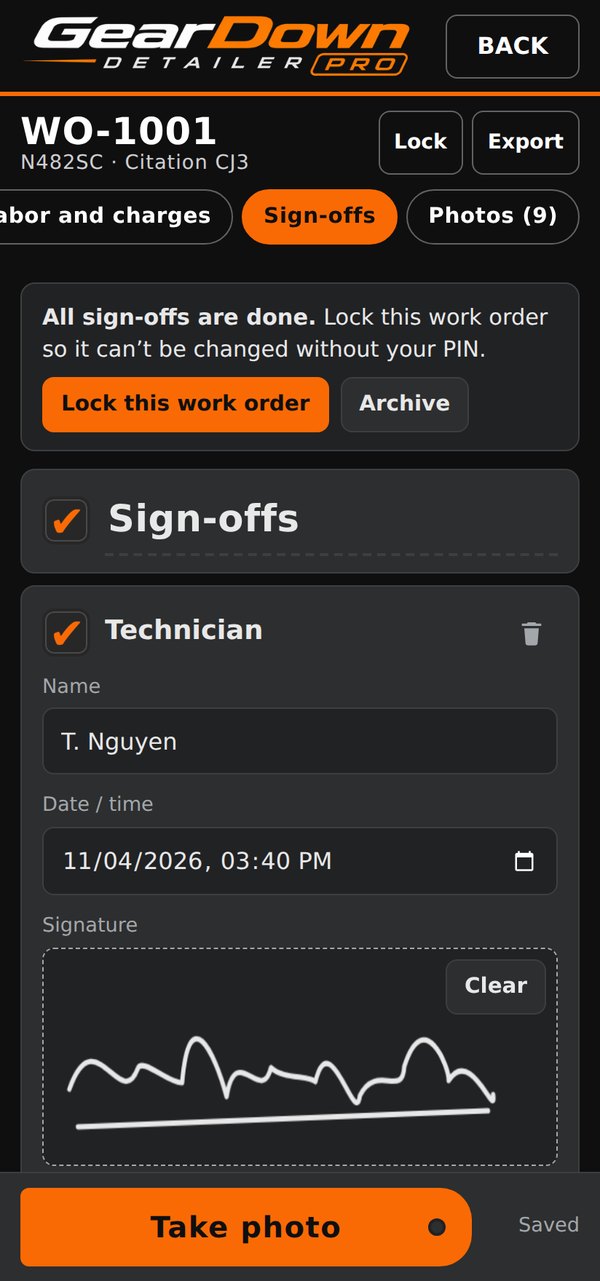
Sign off and lock
Technicians sign on the phone. Then lock the work order: it can still be viewed and exported, but a PIN is needed to change it.
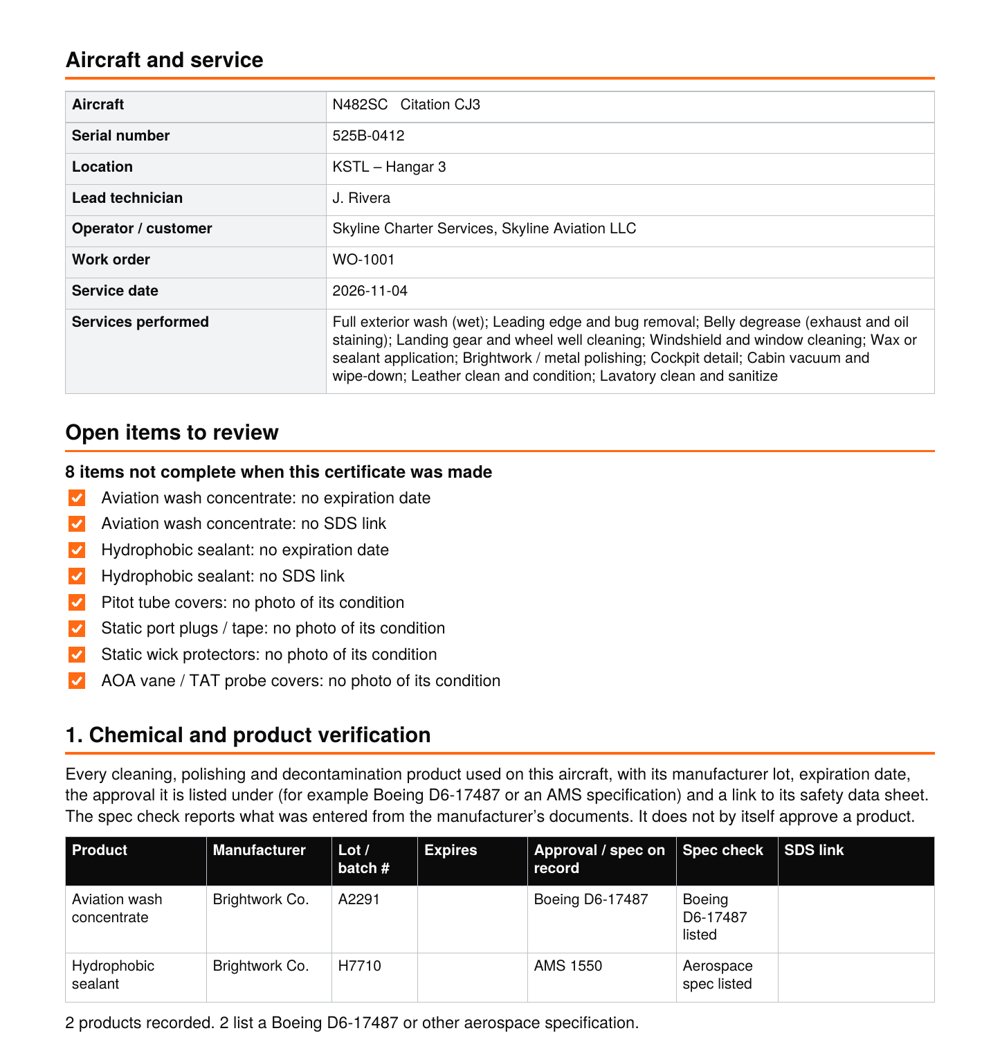
Hand the pilot the record
Form CM-PIC-101, the Pre-Service Disclosure and Chemical Conformance Record, lists every product with its lot, expiry and specification, the covers and plugs as found, aircraft total time and the lead technician, with the pilot-in-command responsibilities as worded in 14 CFR 91.3(a) and 91.7(b).
Generated by the app from its sample job.
Know where every job stands
Every quote and work order shows its stage, from sent to paid, and the app tells you when it moves.
A timeline on every job
Work order, signed, paid, complete. Work orders sort into Scheduled, Active, Awaiting payment and Complete; quotes into Incomplete, Sent, Approved and Rolled to work order.
Told the moment they sign
A notification when a customer approves a quote or signs off a work order, with the signed copy already in the app.
Paid as soon as they sign
Customers can pay right after signing, by card or bank transfer, through your own Stripe account. The work order is marked paid automatically.
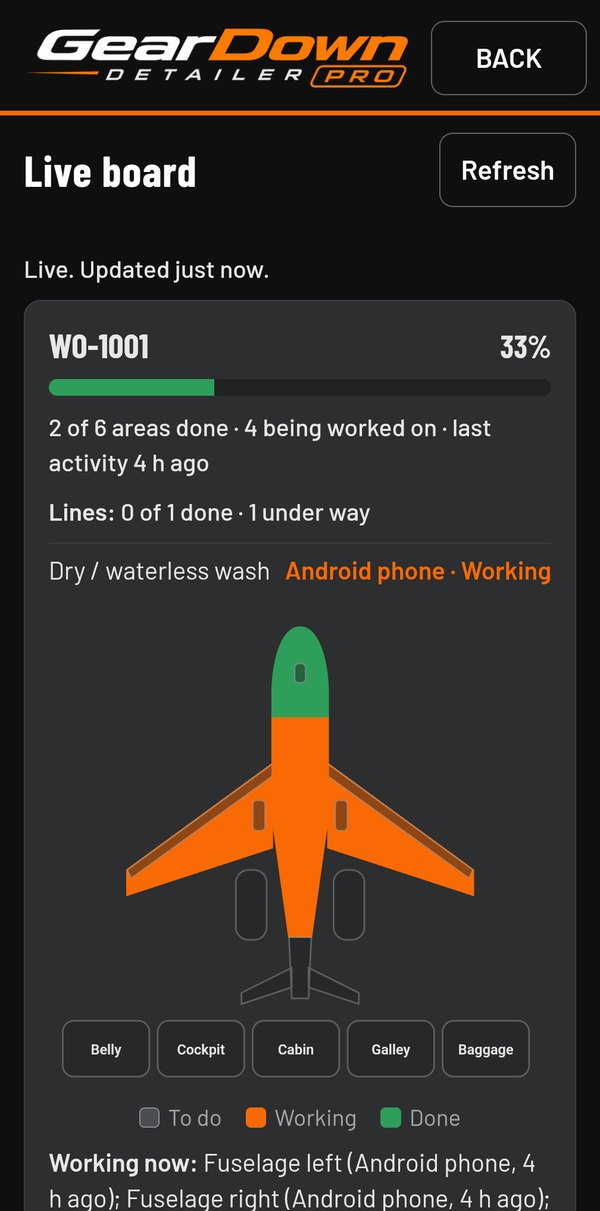
Watch the job from the office
Turn on the live board and add your crew. Each crew member taps an aircraft area through To do, Working and Done, and your board colors the aircraft as they go.
- Progress, who is on which area, and a feed of what happened
- Supervisors give each scope line to a person; crew see it under My jobs
- Updates wait on the phone when there’s no signal
- Only names, areas, the job and tail number are shared, never photos, prices or customer names
Also in Detailer PRO
Priced from the N-number
Enter the tail number, and the FAA lookup identifies the aircraft, sets its size class and fills each job on the quote with your price and estimated hours. Set your own labor rate and mobile service premium, and adjust any price to match how you bill.
Suggested prices assume the aircraft is on a regular cleaning program and serviced at scheduled intervals. First-time cleanings, heavy exhaust or oil staining, neglected paint or interiors, and difficult access usually take longer, so adjust those quotes accordingly. For an aircraft that isn’t on a program, the first-service adjustment raises a quote’s suggested prices in one step.
FAA N-number lookup
Make, model, serial and aircraft type, plus the usual exterior surface range for that class.
Your job flow
Move work order steps up or down and hide the ones you don’t use. Hidden steps leave the PDF too.
Your colors
App colors and printed form colors, with a live preview. They apply to every PDF and report.
Back up everything
One zip with customers, work orders, quotes, schedule and photos, with a reminder every 30 days.
Manual and FAQ, built into the app
Step-by-step instructions and a searchable FAQ for every part of GearDown Detailer PRO, under MENU, Help and support. They work without a signal.